mdworks / Unsave
Unsave
See all your Instagram saved posts as one grid, filter them by account or type, and unsave the ones you no longer need, in bulk.
Open Unsave →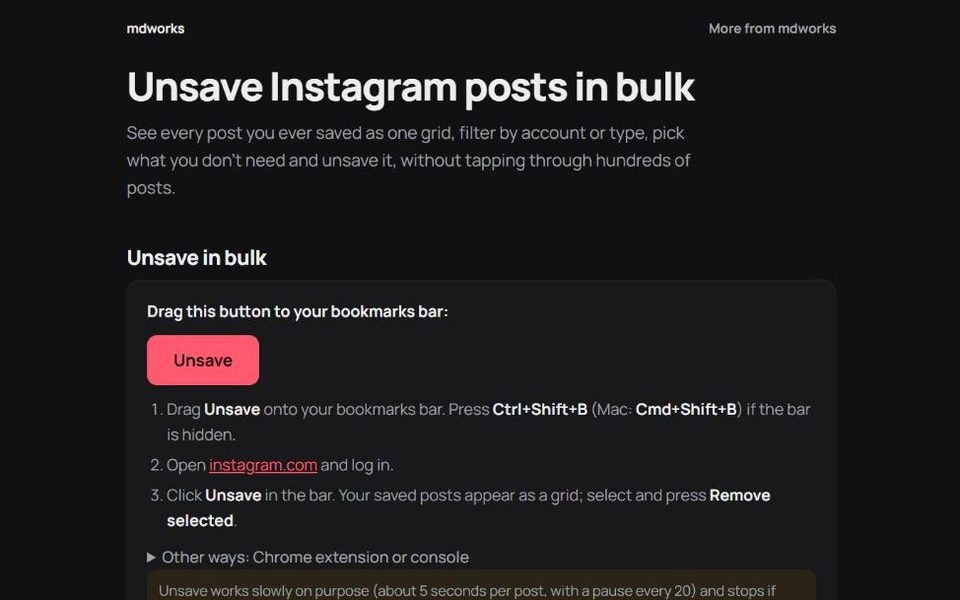
- no passworduses your own session
- ~5 sbetween unsaves
- 0data sent to us
- freeno sign-up
Why it exists
Instagram lets you save posts with one tap but only lets you unsave them one at a time. After a few years most people have hundreds or thousands of saved posts and no practical way to clean them up. Unsave adds the missing bulk tool.
How to use it
- Add the Unsave button to your browser's bookmarks bar from the Unsave page.
- Open instagram.com and log in as usual.
- Click the Unsave bookmark. A panel opens on top of Instagram and lists your saved posts as a grid.
- Filter and select: by account, by type (photos, videos, reels) or one by one.
- Press Remove. The selected posts are unsaved one after another.
Safety and privacy
- No password, no login on our side. Unsave runs inside instagram.com in your own browser and uses the session you are already logged in with.
- A careful pace. It waits about five seconds between posts, pauses after every twenty and stops straight away if Instagram signals that it wants you to slow down.
- Nothing leaves your browser. Your saved posts, account name and session are never sent to mdworks.
- Always up to date. The bookmark loads the latest version each time, so you do not need to reinstall it when Instagram changes.
Unsave is an independent tool and is not affiliated with Instagram or Meta.
Questions
Will this get my account banned?
Unsave behaves like a person unsaving posts by hand, only more patiently: one at a time, with pauses, and it stops if Instagram pushes back. No tool can promise anything on Instagram's behalf, which is why it errs on the slow side.
Does it work on a phone?
It needs a desktop browser where you can use bookmarks, such as Chrome, Edge, Firefox or Safari on a computer.
Can I undo an unsave?
Not from Unsave. A post you unsave can be saved again from the post itself on Instagram.